AI Assistant Business Data Audit: A Practical Guide
Run an AI assistant business data audit to check public facts, AI recommendations, profiles, reviews, citations, schema, and local content.
By RankSimply ·
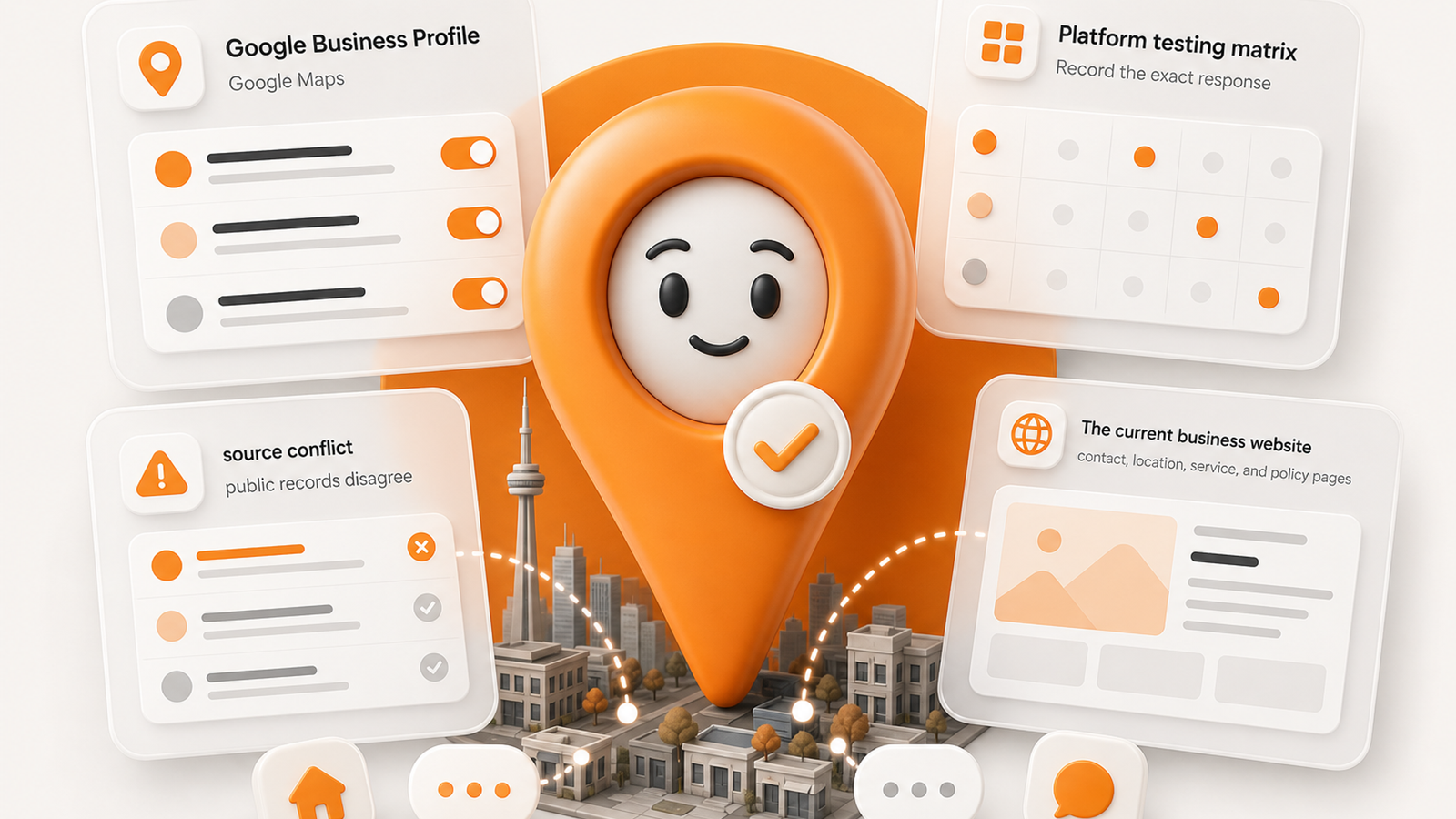
Quick answer: An AI assistant business data audit checks whether public business facts and third-party signals support accurate descriptions and recommendations in AI answers and Google results. RankSimply helps local businesses monitor those answers and coordinate improvements across profiles, reviews, citations, schema, competitor signals, and content.
An AI assistant business data audit is a local visibility audit, not an accounting exercise. It compares what a business knows to be true with what ChatGPT, Gemini, Claude, Perplexity, Copilot, Grok, and Google can find, describe, and recommend. The outcome is a dated list of inaccurate facts, weak evidence, conflicting listings, and practical fixes—starting with the sources the business controls.
This workflow does not replace a financial, security, compliance, statutory, or internal audit. It examines public-facing business information and discovery signals, not private records, operational controls, financial transactions, or legal obligations.
What is an AI assistant business data audit?
An AI assistant business data audit is a documented review of the public facts, sources, and customer-proof signals behind AI-generated descriptions and local recommendations. It identifies where a business is misdescribed, omitted, confused with another company, or unsupported by clear public evidence for the service and location a customer requests.
The word “audit” causes confusion because many search results use it for accounting and compliance work. This version has a narrower job: establish whether someone searching for a local service can encounter a consistent, accurate record of your business across your website, owned profiles, maps, directories, reviews, and AI answers.
A useful audit answers five questions:
- Does each platform identify the correct business?
- Are the name, location, hours, services, and contact paths accurate?
- Does the business appear for the customer questions it is qualified to answer?
- Which sources support or contradict the answer?
- What should the team correct first, and who owns that fix?
The work should produce an evidence file and a fix queue—not a single visibility score detached from the prompts, markets, and source material behind it.
Which business facts do AI assistants and Google need to get right?
AI assistants and Google need a clear, corroborated record of who the business is, where it operates, what it offers, and how customers can contact it. Start with the business website and verified owned profiles as the source of truth, then compare every major public record against that approved information.
Build one approved record for each physical location or service area. Keep it accessible to the people who update the website, Google Business Profile, directories, social profiles, and review responses.
Use a complete business-data inventory
Your inventory should include facts that influence a customer’s decision as well as basic identity information:
- Legal business name and customer-facing name
- Street address, suite number, service area, and location-specific phone number
- Primary website URL and location-page URL
- Regular hours, holiday hours, and appointment availability
- Primary category and secondary categories where relevant
- Services, service boundaries, and location-specific offerings
- Pricing claims, estimates, financing statements, and promotional language
- Attributes customers use to choose a provider
- Booking, quote, phone, email, and contact paths
- Photos that accurately represent the business and its locations
- Review volume, recency, themes, and unanswered feedback
- Frequently asked questions and the pages that answer them
A service business often has a clean name and phone number but a vague service description. That is still a material gap. If the website says “full-service solutions” while reviews and profiles use different service terms, systems and customers have less clear evidence connecting the company to a specific need.
Set the source-of-truth hierarchy
Use this order when deciding which version of a fact is correct:
- The current business website, especially contact, location, service, and policy pages
- Verified owned profiles, including Google Business Profile and official social accounts
- First-party booking, scheduling, or customer-contact systems that publish availability
- Established review and directory profiles claimed by the business
- Unclaimed directories, data aggregators, articles, and user-generated references
The website and verified profiles establish the approved record, but platforms may apply their own display rules. A platform can shorten a name, format an address differently, or choose which categories it displays. Record those display differences separately from factual errors.
For profile work, see how to improve business profiles for AI search before changing names, categories, or service descriptions.
How do you audit what ChatGPT, Gemini, Claude, Perplexity, Copilot, Grok, and Google say about your business?
Audit AI and Google results by testing a fixed set of branded, service, comparison, and recommendation prompts from defined locations, then recording the full response, sources shown, factual accuracy, and next action. Repeat the same prompt set so changes can be compared against the same customer question rather than guessed from isolated answers.
Start with 10 to 20 prompts that reflect real buying intent. Do not test only “What is [Business Name]?” Use the questions a customer would ask before choosing a provider.
Build a prompt set around customer intent
Use prompts such as:
- “What are the hours for [business name]?”
- “Does [business name] offer [specific service]?”
- “Who provides [service] in [market]?”
- “What are good options for [service] in [market]?”
- “Compare [business name] with other providers for [service].”
- “Which provider should I contact for [service] if I need [decision factor]?”
Keep the business name, service, location, and decision factor explicit. Test a defined market or postal area when location matters. A recommendation prompt without a location often measures a different question than a local customer is asking.
Use a platform testing matrix
Record the exact response rather than summarizing it from memory. Capture a screenshot or export where permitted, note the test date and location condition, and save any links or citations shown.
| Platform | Test prompt | Location | Response | Sources or links shown | Accuracy | Issue and follow-up action |
|---|---|---|---|---|---|---|
| ChatGPT | “Who offers [service] in [market]?” | Defined market | Save full answer | Record if shown | Accurate / partial / wrong | Correct source gaps; retest |
| Gemini | “Does [business] provide [service]?” | Defined market | Save full answer | Record if shown | Accurate / partial / wrong | Check website and profiles |
| Claude | “Compare local options for [service].” | Defined market | Save full answer | Record if shown | Accurate / partial / wrong | Review service proof |
| Perplexity | “Recommend [service] providers in [market].” | Defined market | Save full answer | Save cited links | Accurate / partial / wrong | Inspect cited pages |
| Copilot | “What are [business] hours?” | Defined market | Save full answer | Record if shown | Accurate / partial / wrong | Fix hours and duplicates |
| Grok | “Is [business] open and what does it offer?” | Defined market | Save full answer | Record if shown | Accurate / partial / wrong | Check public descriptions |
| “[service] in [market]” | Defined market | Save local and AI results | Save surfaced sources | Accurate / partial / wrong | Update relevant local assets |
AI outputs can differ because prompt wording, location, available public sources, and product updates change what information is considered relevant. Some platforms provide citations or links; others may not. Treat the response as an observed result, then inspect the public evidence you can actually correct.
Where should you look when AI assistants return conflicting business information?
When an assistant returns a wrong phone number, address, service, or status, inspect the website and verified profiles first, then trace conflicts through maps, directories, reviews, social profiles, and duplicate listings. The goal is to find the inaccurate public source or ambiguity that makes the wrong answer plausible.
Work outward from the approved record instead of editing every result at random.
Check the high-impact sources first
Review these sources in order:
- Website contact, location, service, FAQ, and footer information
- Google Business Profile and Google Maps
- Major directory and map profiles claimed by the business
- Booking and contact platforms
- Review profiles and recent customer comments
- Official social profiles
- Older locations, former domains, and rebranded business pages
- Industry directories and local publisher pages
A wrong “permanently closed” answer often deserves an immediate check for a closed duplicate or former-location listing. A wrong service description usually points to thin service pages, an outdated category, inconsistent profile copy, or reviews that reference a service the business no longer provides.
Use a controlled process to fix inaccurate AI business information rather than trying to edit the AI answer itself. The durable work happens in the sources behind the answer.
Separate a source conflict from a model error
A source conflict exists when public records disagree: for example, the website lists weekday hours that differ from Google Business Profile, or two directories publish different addresses. A model error occurs when the public record is consistent but the assistant still makes an unsupported claim.
Document both, but prioritize the source conflict. It creates customer confusion across search, maps, review sites, and AI results—not only on one assistant.
How do you check whether your profiles, citations, reviews, schema, and website agree?
Check agreement by comparing every public asset against the approved record, field by field, and then confirming that service, location, and reputation claims tell the same story. Consistency means more than matching a name and phone number; it means customers find the same supported answer to the questions that determine whether they contact you.
A practical review has five workstreams.
Profiles and citations
Compare business name, address, phone number, URL, hours, category, service area, and services across owned profiles and priority directories. Flag unclaimed profiles, former phone numbers, old URLs, and duplicates before adding new listings.
Citation cleanup should focus on reconciliation, not volume for its own sake. See the process for local citation cleanup for AI search when records conflict across public sources.
Reviews and customer proof
Read recent reviews for evidence about the services, locations, and customer experiences you publicly claim. Reviews do not replace correct business data, but recurring customer language can reveal whether people understand what the business does.
Look for weak review recency, unanswered concerns, reviews attached to an old location, or recurring references to services that are missing from the website. An honest review strategy should seek genuine feedback, not scripted claims. See a review strategy for AI recommendations for a practical approach.
Schema and website content
Check whether the website provides machine-readable business details that match visible copy, especially on location and contact pages. Local business schema should not introduce a second version of the name, address, phone number, hours, or service area.
Then check whether service and location pages answer basic buyer questions. Thin pages with only a location name swapped into generic copy create little useful evidence about what customers can actually buy there.
Which data problems most often prevent a local business from being recommended?
The most common recommendation blockers are identity conflicts, unclear service-location evidence, outdated customer information, weak corroboration across profiles and reviews, and incomplete website pages. These gaps make it harder to connect the right business with the exact need stated in a customer’s prompt.
Look for these specific issues:
- Duplicate listings for the same location, or a closed profile that remains visible
- Outdated regular or holiday hours
- Different business names, phone numbers, domains, or suite numbers across sources
- Service descriptions that conflict between the website, profile, and reviews
- A service-area business shown as if it had a customer-facing storefront
- Location confusion between branches, neighborhoods, or similarly named companies
- Unsupported awards, pricing, availability, or “best” claims
- Old reviews with little recent feedback that verifies current operations
- Missing or conflicting local business schema
- Service pages with no specific evidence of the service, location, process, or contact path
- Missing FAQs for recurring purchase questions
Do not assume that one listing caused a missing recommendation. Compare the business with the sources and evidence that recurring competitors have for the same prompt. That comparison can reveal a missing service page, a category mismatch, sparse reviews, or a citation conflict worth fixing.
For a structured competitor check, learn why AI assistants recommend competitors and compare the public evidence tied to the same service and market.
How should you prioritize fixes after an AI assistant business data audit?
Prioritize fixes by the harm a wrong fact causes customers, its relevance to the prompts where the business is absent or misdescribed, confidence that the finding is real, ownership, and implementation effort. Correct identity and contact errors first, then resolve service and location conflicts before investing in lower-priority content expansion.
Use this decision table to turn the audit into a queue that an owner, marketer, agency, or operations lead can execute.
| Finding | Customer harm | Recommendation impact | Confidence | Owner | Effort |
|---|---|---|---|---|---|
| Wrong phone, address, or hours | High | High | High | Business owner or profile manager | Low |
| Duplicate or closed listing | High | High | High | Profile manager | Medium |
| Incorrect service or category | High | High | High | Marketing and operations | Medium |
| Thin service or location page | Medium | High | Medium | Content owner | Medium |
| Inconsistent directory details | Medium | Medium | High | Listings owner | Medium |
| Missing schema fields | Low to medium | Medium | Medium | Web developer | Low to medium |
| Weak recent review evidence | Medium | Medium | Medium | Customer experience lead | Ongoing |
| Outdated photos or attributes | Medium | Low to medium | High | Profile manager | Low |
A high-confidence phone-number error is usually more urgent than a speculative content idea because it can stop a ready customer from contacting the business. Assign an owner and due date to every accepted fix, then record the source URL and changed field so the team can verify it later.
What evidence should you save so you can recheck results later?
Save a dated evidence log containing the exact prompt, test location, platform response, screenshots, cited links, source URLs, approved business facts, and fix status. A complete log turns a one-time review into a repeatable comparison and prevents teams from relying on recollection when answers change.
For each finding, record:
- Audit date and person conducting the check
- Platform and account or test environment used
- Exact prompt and location condition
- Full answer or a screenshot of the relevant passage
- Links, citations, businesses named, and answer sentiment where visible
- Correct approved fact and the source supporting it
- Public URL containing the inaccurate or incomplete information
- Owner, planned change, completion date, and verification date
Keep recommendations separate from citations. A platform can link to a business without recommending it, or recommend a business without showing a usable citation. That distinction matters when deciding whether the problem is source coverage, inaccurate facts, or relevance to the prompt.
How can you turn a one-time audit into ongoing AI visibility monitoring?
Turn the audit into monitoring by retaining a stable prompt set, checking priority platforms on a schedule, recording new citations and competitors, and reviewing whether completed data fixes are reflected across public sources. Ongoing monitoring keeps customer-facing facts current as locations, services, hours, reviews, and search results change.
Recheck high-risk facts after any move, rebrand, change in hours, new service, closed location, domain migration, or booking-system change. For stable businesses, a monthly review of priority prompts and profiles is a practical operating rhythm, with a deeper quarterly review of citations, schema, content, and competitor evidence.
RankSimply can monitor selected prompts across ChatGPT, Claude, Gemini, Perplexity, Grok, Copilot, and Google AI Overviews, including observed answers, citations, competitor presence, and related local Google context. Its workflow is designed to connect findings with profile, review, citation, schema, competitor, and content improvements rather than leaving a team with a list of observations alone.
Frequently asked questions
Can an AI assistant business data audit replace a financial or compliance audit?
No. An AI assistant business data audit reviews public-facing business information, AI-generated descriptions, recommendations, profiles, reviews, citations, schema, and website content. It does not assess financial records, internal controls, cybersecurity, regulatory compliance, statutory obligations, or private company data.
Which AI assistants should a local business test?
A local business should test the platforms its customers use and include ChatGPT, Gemini, Claude, Perplexity, Copilot, Grok, and Google where the business wants visibility. Use the same branded, service, and recommendation prompts across platforms, with a defined market, so the results can be compared meaningfully.
How often should a business recheck its AI assistant data?
Recheck public data immediately after a move, new phone number, changed hours, new service, rebrand, location closure, website migration, or booking change. For stable information, monitor priority prompts and profiles monthly and complete a deeper review of citations, reviews, schema, and content each quarter.
Why can an AI assistant give different answers about the same business?
AI assistants can return different answers because the prompt, location, available public sources, and platform product behavior differ. A branded question may retrieve different information than a recommendation question. Record the exact prompt and location condition, then correct public source conflicts that create customer-facing errors.
What should a business fix first when its information is inconsistent online?
Fix the highest-harm facts first: business name, address, phone number, website URL, hours, location status, and booking or contact paths. Next, resolve duplicate listings and inaccurate service or category descriptions. Then strengthen service pages, reviews, schema, photos, and supporting citations that confirm the same approved record.
What should you do after completing the audit?
After completing the audit, assign owners to the highest-priority fixes, update the public sources you control, and rerun the same prompt set after the changes are live. Use the evidence log to track whether customer-facing facts are now consistent and whether recommendation monitoring reveals new gaps worth addressing.
If you need a repeatable workflow for the monitoring and follow-through, start with RankSimply’s free AI visibility report or review its AI recommendation monitoring and local visibility features. The useful next step is not chasing one answer; it is keeping the public evidence behind your business accurate, complete, and easy to verify.