Which AI Tools Recommend Local Businesses
Which AI tools recommend local businesses? Compare ChatGPT, Gemini, Claude, Perplexity, Copilot, Grok, and Google—and learn what to monitor.
By RankSimply ·
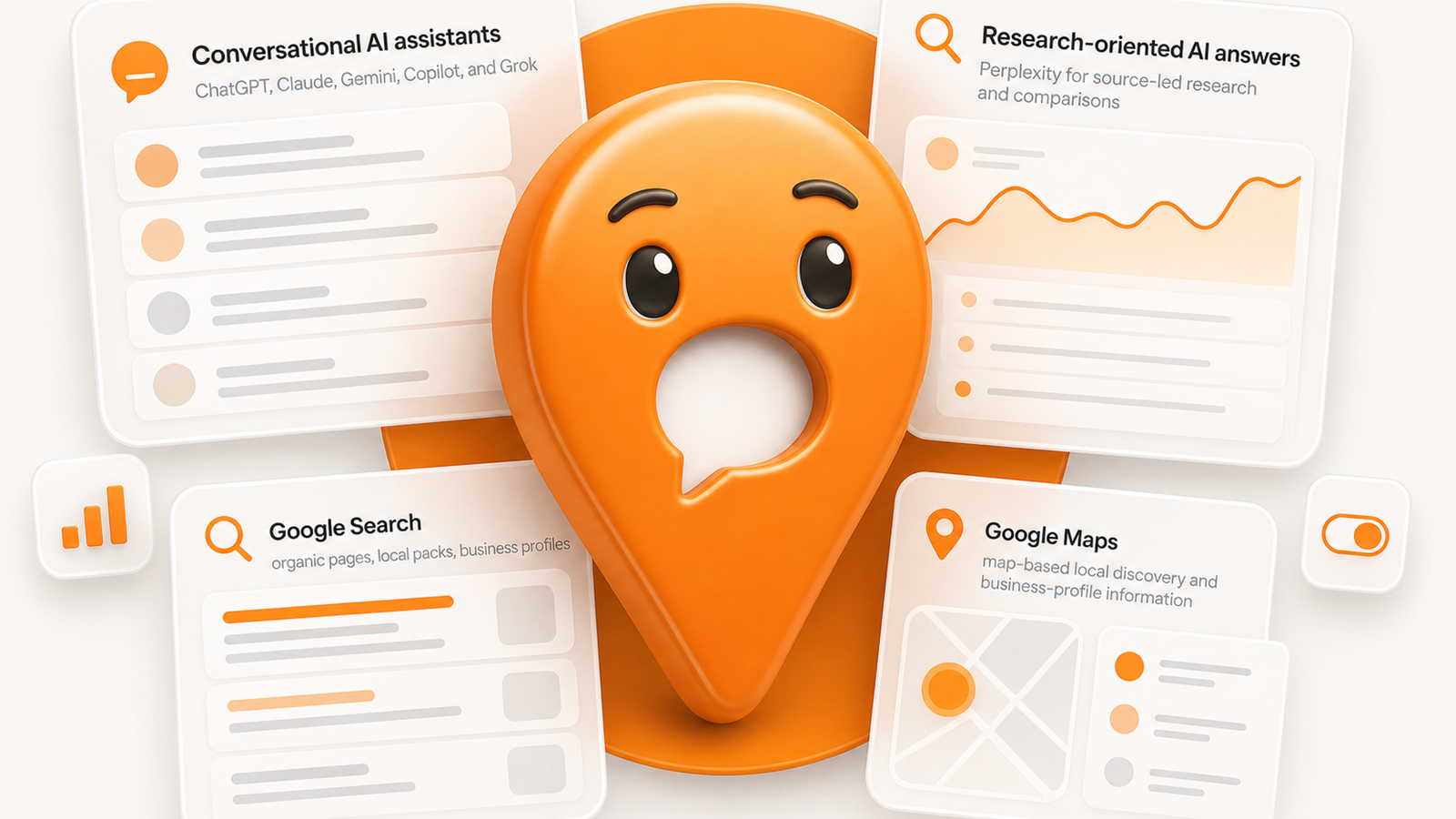
ChatGPT, Gemini, Claude, Perplexity, Copilot, Grok, and Google can all appear in a customer’s research process for local services. Track each as a separate local-discovery surface, using the same question, city, user context, available information, source freshness, and product conditions for each check.
Quick answer: Track AI assistants, Google Search, Google Maps, and Google AI Overviews separately. A business appearing in one response or search result does not show that it will appear for every customer, location, or prompt.
Track each check: Record AI-generated answers with the prompt, conditions, and date to compare results over time. See our guide to tracking business recommendations across AI tools for a repeatable method.
The short answer: AI tools to monitor for local-business recommendations
For local businesses, the AI-enabled discovery surfaces worth considering include ChatGPT, Gemini, Claude, Perplexity, Copilot, Grok, and Google AI Overviews. Google Search and Google Maps also remain separate local-discovery surfaces.
A response may include:
- A direct business recommendation
- A shortlist of providers
- Supporting sources or directory listings
- General advice without naming a business
- Map, local-pack, or organic search results
- A follow-up question requesting more detail
The key distinction is between a recommendation and a citation or retrieval result. A system may surface a business website, review page, directory listing, or map result without clearly recommending that business as the best option.
For a local business, the useful question is not simply, “Which AI tool is best?” It is: Which tools are part of the path customers take before they call, book, visit, or request a quote?
RankSimply monitors selected recommendation prompts across ChatGPT, Claude, Gemini, Perplexity, Grok, Copilot, and Google AI Overviews. It records observed answers, cited sources, and competing businesses for the prompts and markets a business chooses. Learn more about AI visibility tools for local businesses.
How local recommendations differ across ChatGPT, Gemini, Perplexity, Copilot, Claude, Grok, and Google
These products and search surfaces should not be blended into one “AI ranking” score. Their interfaces, prompt styles, location signals, source presentation, and user expectations differ.
Conversational AI assistants
ChatGPT, Claude, Gemini, Copilot, and Grok are commonly used through conversational prompts. A person might ask a broad question such as, “Who are good family dentists in Toronto?” They may also add details about insurance, accessibility, evening hours, a neighborhood, or a specific service.
Depending on the prompt and product behavior at that time, an answer may name businesses, summarize options, provide general advice, ask follow-up questions, cite sources, or avoid making a clear recommendation.
Prompt intent matters. A question about how AI tools recommend local businesses is likely to invite an explanatory answer. A question asking for a provider in a named city, for a defined service and customer need, is more suitable for checking whether a business is included in a local recommendation.
Research-oriented AI answers
People may use tools such as Perplexity for source-led research and comparisons. A local query may return a researched response with linked sources, directory references, articles, or named providers. It may also return general guidance instead of a provider list.
This is why source tracking matters. A business appearing as a cited source is not the same as being recommended as a provider. Both observations may be useful, but they should be recorded separately.
Google AI features, Google Search, and Google Maps
Google is not one local discovery surface.
- Google Search may show organic pages, local packs, business profiles, ads, and other result types.
- Google Maps is used for map-based local discovery and business-profile information.
- Google AI Overviews may appear for some searches and can surface sources, brands, or generated answers alongside other search results.
- Gemini is a separate conversational product, even when the question resembles a Google search.
A business can appear in Google Maps but not in an AI Overview. It may be cited as a source in an AI Overview without being named as a recommended provider. It may also appear in organic results without appearing in the local pack.
RankSimply’s Google AI Overview tracker records whether an AI Overview appeared for repeated queries and markets, along with surfaced brands and sources. It keeps those findings separate from local-pack and organic context.
What information can support local-business discovery
No platform publishes a complete and stable formula for every local recommendation. The practical focus is the information a customer needs to evaluate a business and the evidence that makes those facts easier to verify.
Useful local evidence often includes:
- Accurate business name, address, phone number, hours, category, and service details
- Complete Google Business Profile information where Google visibility matters
- Reviews describing real services, customer experiences, and location context
- Consistent information across relevant directories and third-party listings
- Service and location pages explaining what the business does and where it operates
- Structured data that matches visible business and page information
- Credible third-party mentions, local coverage, and industry references
- Clear availability, pricing context, policies, and contact paths where relevant
These are not a formula for inclusion in an AI answer. They reduce ambiguity about what a business is, where it operates, and whether it fits a specific request.
For example, a plumbing company needs different supporting information for “emergency plumber open now in North York” than for “affordable plumber for a bathroom renovation in Toronto.” The first question depends heavily on availability and service area. The second calls for clearer evidence about scope, price expectations, and project fit.
For a broader operational checklist, see the local business AI search checklist.
The local query types worth monitoring first
Start with prompts that signal a customer is close to choosing a provider. Avoid a large collection of vague questions that do not connect to an important service or market decision.
Service plus city
These questions establish a baseline for a core service and market.
- “Which estate planning lawyers serve Toronto?”
- “Who offers furnace repair in Scarborough?”
- “Find a physiotherapist in Etobicoke.”
Best for a specific use case
Use-case prompts can distinguish between businesses in the same category.
- “Which Toronto dentist is good with anxious patients?”
- “Who repairs commercial refrigeration for restaurants?”
- “What real estate agents help first-time condo buyers?”
Urgent or open-now need
Urgent questions often focus on hours, availability, response expectations, and proximity.
- “Which locksmith is open now near me?”
- “Who can handle emergency water damage in Mississauga?”
- “Where can I get same-day phone repair in downtown Toronto?”
Price-sensitive comparisons
These prompts test whether a business is understood as an option for a budget-conscious buyer.
- “What are affordable wedding photographers in Toronto?”
- “Compare reasonably priced bookkeeping services for a small business.”
- “Which moving companies have transparent pricing?”
Neighborhood-specific searches
Neighborhood prompts can reveal a local coverage gap. A business may be understood at the city level but have limited evidence for neighborhoods it serves.
- “Best pediatric dentist near Liberty Village?”
- “Dog groomer in Leslieville?”
- “Kitchen renovation company serving The Beaches?”
Start with a small, manageable set of prompts across priority services, locations, and buyer situations. Add prompts only when they represent a meaningful customer need or business decision.
A practical way to separate local-discovery results
| Result type | What to record | What it does not establish |
|---|---|---|
| AI business recommendation | Whether the business was named, the full answer, competitors named, prompt, date, and market | That the business will be recommended to every user |
| AI source citation | Whether the business website or another business-owned source was cited | That the business was recommended as a provider |
| Google AI Overview | Whether an overview appeared and which brands or sources it surfaced | Google Maps or local-pack visibility |
| Google local pack | Whether the business appeared for the recorded market and query | Organic ranking or AI recommendation visibility |
| Google Maps result | Whether the business was visible in a map-based search | Inclusion in generated AI answers |
| Organic result | Whether a relevant page appeared in organic search | A local-pack placement or business recommendation |
This framework keeps different result types from being collapsed into one unexplained score.
How to check whether AI tools recommend your business
Manual checking can be a useful starting point, but it requires consistency. Changes in location settings, account state, prompt wording, time, or product behavior can make two checks difficult to compare.
1. Define priority services and locations
List the services that matter most to the business and the cities, service areas, or neighborhoods where it wants demand. For multi-location businesses, define each market separately.
Do not begin with the company name. A branded query checks recognition. A non-branded recommendation query tests whether the business is discovered when a customer describes a need.
2. Build a fixed prompt set
Write customer-like prompts for each priority service and market. Keep the wording stable when checking for changes over time.
Record the full prompt, platform, market, date, and any conditions that could affect the result. If the product offers location settings or search modes, record those settings too.
3. Capture the full answer, not only a mention
For each check, record:
- Whether the business was recommended, cited, or omitted
- Which competitors were named
- Whether the answer included supporting sources
- Any incorrect business facts
- The customer need and location in the prompt
- Whether a Google AI Overview, local pack, or map result appeared where relevant
A citation is not necessarily a recommendation. A business appearing in a list is not necessarily the first or best option. Keep those observations separate.
4. Classify the gap before changing anything
A missing result may point to a profile problem, inconsistent citations, limited location coverage, stale reviews, weak service explanations, inaccurate hours, or limited third-party evidence. It may also reflect a prompt that does not fit the business.
Compare the business with providers named in the same captured answer. Look for specific differences in service clarity, location relevance, review themes, source coverage, and business information.
5. Make corrections and recheck
Correct high-impact factual and evidence gaps first. Then repeat the same prompt set under comparable conditions. This creates a record of observed movement without suggesting that one captured answer represents every future customer experience.
RankSimply can monitor selected prompts across relevant AI platforms and Google, preserve observed answers and citations, identify named competitors, and coordinate profile, review, citation, schema, competitor, and content work. Read more about how to track business recommendations across AI tools.
What to improve when your business is missing or misrepresented
Start with the issue that creates the most customer confusion. Publishing additional pages before correcting a wrong address, category, hours, or service description can add conflicting information rather than solve the problem.
Correct core business facts
Check the business name, address, phone number, website, hours, categories, service area, appointment details, and service descriptions. Match these details across the website, business profiles, directories, and social profiles customers may encounter.
For Google-focused local discovery, accurate Google Business Profile information is a sensible first check.
Improve review coverage and response quality
Reviews can clarify what a company does, who it serves, and what customers value. Focus on legitimate review generation and useful, accurate responses. Do not script or manipulate review language for AI answers.
Make service and location pages specific
A page that says only “We serve the Greater Toronto Area” offers limited support for a question about a specific neighborhood, service type, or customer situation. Build pages around real services and markets, with details that help a buyer decide.
Clean up citation and directory inconsistencies
Conflicting business details can make it harder for customers and systems to identify the correct entity. Audit important listings, correct outdated information, and keep a record of updates.
Add useful structured business information
Business schema can clarify the relationship between a company, its locations, services, and contact details. It does not require an AI tool to recommend the business. It can help systems interpret accurate information already present on the site.
Compare evidence, not only competitor names
If another provider appears repeatedly, inspect the information around that result. Are they clearer about a service? Do they have stronger local coverage, more current reviews, better category alignment, or better-known third-party references? The answer should determine the next work item.
For help coordinating this work, see RankSimply’s generative engine optimization services for local businesses.
Why one AI answer is not a local ranking report
Use a fixed prompt, geography, browser or account context, and documented check conditions to compare AI outputs over time. Record product updates, source freshness, and available information alongside each result.
Use a repeatable prompt set and consistent market context to turn individual searches into a useful monitoring record. Record each response, then compare repeated checks before deciding which visibility issue to address.
A useful report separates:
- Business recommendations from source-only citations
- AI Overview appearances from Google Maps and local-pack visibility
- City-level prompts from neighborhood-level prompts
- Branded searches from non-branded discovery questions
- One-time answers from repeated observations over time
RankSimply records observed answers, citations, competitor presence, and AI Overview context, then connects those findings to local visibility work rather than treating one aggregate score as the final answer.
Build a repeatable AI recommendation monitoring workflow
Use a simple operating cycle:
- Choose the markets and services that matter. Prioritize important offerings and locations rather than every possible query.
- Collect a stable prompt set. Include service-plus-city, use-case, urgent, price-sensitive, and neighborhood questions where relevant.
- Monitor each relevant platform separately. Do not combine ChatGPT, Google Maps, AI Overviews, and other surfaces into one unexplained metric.
- Record businesses, sources, and incorrect facts. Capture the full answer and the conditions of the check.
- Diagnose the evidence gap. Determine whether the issue is profile accuracy, reviews, citations, structured data, content, or competitor coverage.
- Make approved corrections and improvements. Address factual errors and high-impact gaps first.
- Recheck comparable prompts. Measure observed changes while keeping the limits of AI outputs in view.
Local rank tracking and AI recommendation monitoring answer related but different questions. Traditional local tracking can record local-pack, map, and organic visibility. AI recommendation monitoring records whether and how a business appears in selected generated answers. Businesses that depend on both Google discovery and conversational research should review both contexts.
If you want a baseline before committing to ongoing monitoring, RankSimply offers a free AI visibility report with no signup. It runs one live commercial recommendation check based on the business, category, and city provided. The result is a starting observation, not a complete visibility audit, but it can show whether the business appeared in that specific answer and which competitors were named.
FAQ
Does ChatGPT recommend local businesses?
ChatGPT may be part of local-business research when users ask for providers, comparisons, or advice tied to a city or customer need. It will not necessarily return a business recommendation for every prompt. Record the complete response, prompt, date, and market conditions if you want to compare later checks.
Is Gemini the same as Google Maps for local visibility?
No. Gemini is a conversational AI product, while Google Maps is a map-based local discovery product. They should be measured separately. A business appearing in one result does not establish visibility in the other.
Can Claude, Perplexity, Copilot, and Grok recommend businesses near me?
They may be used by people researching nearby services or comparing providers. Whether a specific response names businesses depends on the prompt, location context, available information, and product behavior at the time of the check. Monitor the platforms your customers use instead of assuming every tool produces the same type of local result.
How often should a local business check AI recommendations?
Use a recurring schedule that matches the business’s markets, service changes, and capacity to act on findings. Recheck after important changes to business facts, locations, services, reviews, or key pages. Consistent prompts and documented market settings matter more than checking frequently without a method.
What should I fix first if an AI tool gives incorrect business information?
Correct the source information first: business name, address, phone number, hours, service details, category, and website destinations. Then check whether the same error appears across the website, business profiles, directories, and third-party sources. Re-run the original prompt after relevant sources have been updated.