AI Recommendation Audit Checklist: A Practical Guide
Use this AI recommendation audit checklist to test local business visibility, capture evidence, fix factual gaps, and retest across AI platforms.
By RankSimply ·
Quick answer: An AI recommendation audit shows whether AI assistants and Google accurately mention, cite, or recommend your business for the local searches that matter. Test the same customer prompts, record full answers and sources, score recurring gaps, fix the public evidence behind them, and rerun the audit monthly. RankSimply records selected AI prompts, citations, competitors, and Google AI Overview findings for this work.
An AI recommendation audit turns scattered AI answers into a clear work queue: which high-intent prompts include your business, where facts are wrong, which competitors appear, and which profiles, reviews, citations, schema, or pages need attention first.
What is an AI recommendation audit?
An AI recommendation audit is a repeatable review of how AI assistants and Google describe your business for real service-and-location questions. It records whether you are mentioned, cited, accurately described, or recommended, then connects recurring gaps to specific corrections across your website, profiles, reviews, citations, and local content.
Traditional local rank tracking records where a website or Google Business Profile appears in search results. An AI recommendation audit measures the answers customers receive when they ask who to hire, which provider serves an area, or whether a business offers a particular service.
Keep these outcomes separate:
| Outcome | What it means | What to record |
|---|---|---|
| Mention | The business name appears in an answer | Exact wording and context |
| Citation | A business website or third-party page appears as a source | Source URL and supported claim |
| Recommendation | The answer presents the business as an option for the customer’s need | Reason given and competitors named |
| Google visibility | The business appears in a local pack, organic result, or AI Overview context | Result type and market |
A citation without a recommendation still matters because it shows that a page or profile is connected to the question. A recommendation containing the wrong hours, address, or service information is a factual-risk finding that needs correction.
What should you record before testing?
Before testing, create one approved business-facts record and one prompt log. The facts record gives you a reliable benchmark for accuracy, while the prompt log preserves the exact market, wording, answer, and sources behind each finding so repeated issues can be identified and assigned for correction.
Build a business facts record
Check the following against owned records and customer-facing pages:
- Public business name
- Address, phone number, website, and opening hours
- Primary category and relevant secondary categories
- Service area and neighbourhoods served
- Core services and exclusions
- Business description and differentiators
- Pricing, offers, and financing language
- Licences, certifications, and credentials where relevant
- Google Business Profile information
- Review themes and review-platform links
- Location, service, and contact pages
Keep schema aligned with the visible information on the relevant page. If a page shows one address, service area, or opening-hours schedule while its markup shows another, correct the mismatch before adding new markup.
Use a prompt log, not screenshots alone
Screenshots preserve context, but a useful audit also captures the answer text and test details.
| Field | What to capture |
|---|---|
| Platform | ChatGPT, Gemini, Claude, Perplexity, Copilot, Grok, or Google |
| Product surface | Visible model, search mode, AI Overview, or other label |
| Date and time | When the answer was collected |
| Market | City, neighbourhood, postal area, or service area |
| Exact prompt | Full wording, unchanged |
| Account state | Logged in or logged out, where visible |
| Response text | Complete answer, not only business names |
| Sources | Visible links, citations, maps, or source cards |
| Finding | Mention, citation, recommendation, inaccurate fact, or absence |
| Competitors | Every competing business named |
Assign an owner for the facts record and an owner for public corrections. An audit creates value when every finding has a clear route to resolution.
Which prompts should you use?
Use prompts that mirror customer decisions, naming the service, need, and market clearly. Keep the same core prompts across every platform so results are comparable, then test controlled variations for neighbourhoods, urgency, qualifications, and direct competitor comparisons without changing several variables at once.
Start with prompts such as:
best [service] in [city][service] near [neighbourhood]who should I hire for [problem] in [city]which [service] providers serve [neighbourhood]?compare [your business] and [competitor] for [service] in [city]which [service] provider has experience with [specific need]?find a [service] provider in [city] with [relevant qualification]what should I look for when choosing a [service] in [city]?
Separate factual prompts from recommendation prompts.
A factual prompt checks whether an answer correctly states information such as, “What are [business name]’s hours?” A recommendation prompt checks whether the business is presented as a suitable option, such as, “Who should I hire for [problem] in [city]?”
Start with 10 to 20 high-intent prompts. A focused set tied to customer decisions produces a more useful action list than dozens of broad informational queries.
How should you test each platform separately?
Treat every AI platform and Google result type as a separate observation set. Run the same prompt, market, and recording process for each one, because the business descriptions, visible sources, citations, and recommendations shown for the same customer question can differ across tools.
| Platform or surface | Audit focus | Evidence to capture |
|---|---|---|
| ChatGPT | Recommendation wording and linked sources | Full response, links, businesses named |
| Gemini | Local options and factual descriptions | Response, source cards, factual claims |
| Perplexity | Citation visibility and answer framing | Citations, quoted facts, recommendation list |
| Copilot | Service and location matching | Response text and linked results |
| Claude | Business descriptions and comparisons | Named businesses and supporting reasons |
| Grok | Recommendation and factual accuracy | Complete answer and visible sources |
| Local pack, organic results, and AI Overview context | Result type, brands, and sources surfaced |
Google explains that its AI features use the same foundational requirements as Google Search, including crawlable content and structured data that follows Google’s policies. Google’s guidance on AI features in Search is useful when reviewing the Google portion of an audit.
What is the AI recommendation audit checklist?
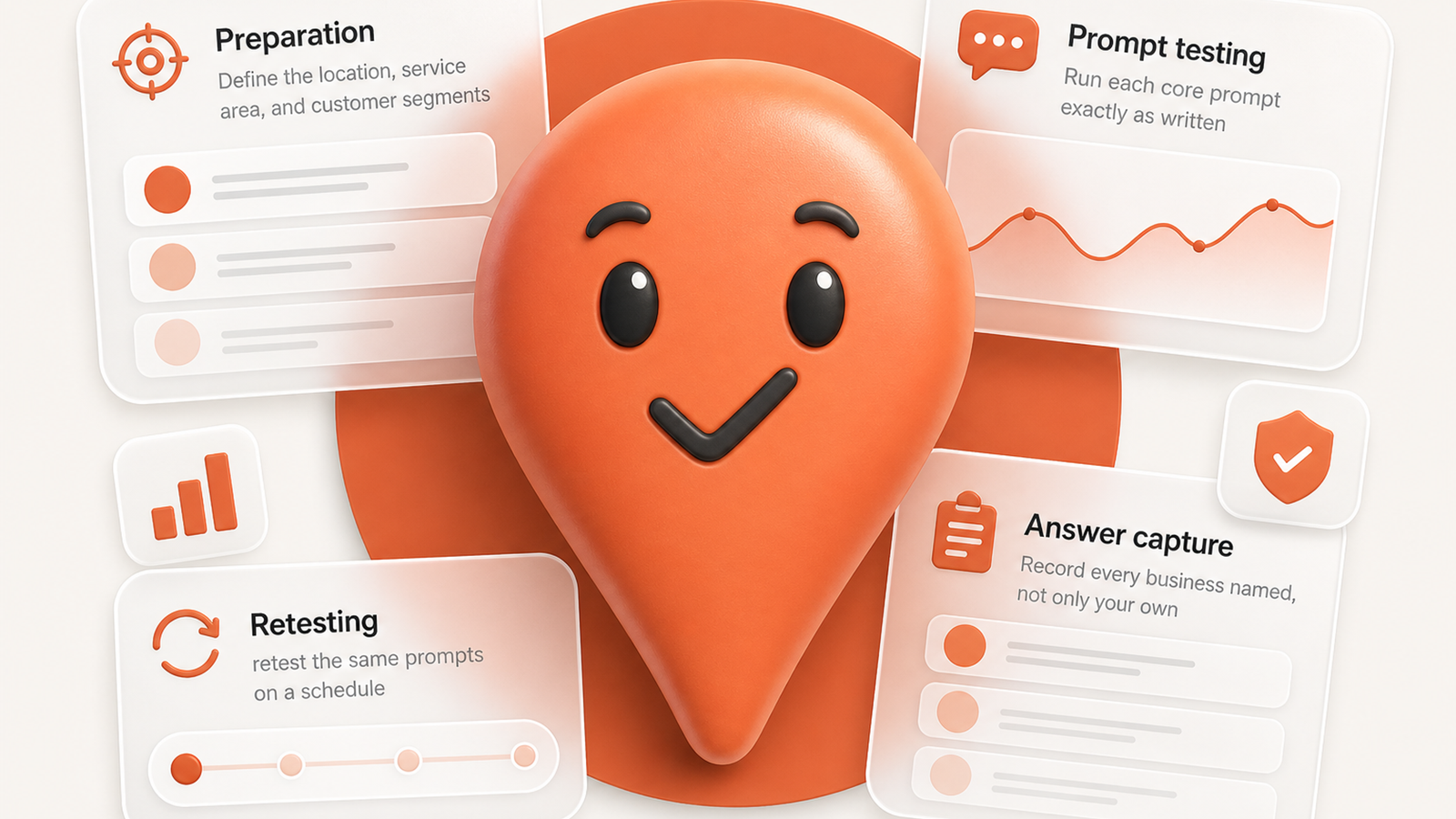
This checklist takes you from controlled prompt testing to documented evidence, factual verification, corrections, and retesting. Follow it in order so each change has a recorded reason, a clear owner, and a way to check whether the same prompt produces a more accurate answer later.
Preparation
- Define the location, service area, and customer segments being audited.
- Confirm the approved business name, address, phone number, hours, categories, services, and website.
- Select the AI platforms and Google surfaces to test.
- Choose high-intent prompts based on customer questions.
- Set up a shared prompt log and assign an audit owner.
- Identify conversion data to review separately, such as calls, forms, bookings, or direction requests.
Prompt testing
- Run each core prompt exactly as written on every selected platform.
- Include the city, neighbourhood, service area, or customer problem.
- Record logged-in or logged-out status where visible.
- Change one prompt element at a time when testing variations.
- Run comparison prompts for recurring competitors.
Answer capture
- Save the complete response text and a screenshot or export where possible.
- Record every business named, not only your own.
- Mark whether your business was mentioned, cited, recommended, or absent.
- Capture visible source links, maps, and source cards.
- Flag incorrect facts and unsupported claims.
Entity verification
- Compare answer details against the approved business facts record.
- Check name, address, phone number, hours, category, services, service area, website, and description.
- Review pricing, credentials, licences, and availability language.
- Check for duplicate listings, old addresses, and competitor-name confusion.
- Confirm that schema matches visible page content.
Competitor comparison
- List businesses that appear repeatedly for the same customer need.
- Record the services, locations, review themes, and attributes attached to each business.
- Compare visible profiles, citations, location pages, and third-party proof.
- Use the answer as evidence for investigation, not proof that one page or review caused the recommendation.
Remediation
- Correct factual errors on owned pages and profiles first.
- Resolve inconsistent citations and duplicate records.
- Improve thin service and location pages that do not answer buyer questions.
- Request and respond to reviews based on genuine customer experiences.
- Add or correct schema only where it matches visible content.
- Assign an owner, due date, and verification method to every task.
Retesting
- Rerun the original prompts after priority corrections are live.
- Compare new answers with the original audit record.
- Record changes in factual accuracy, citations, recommendations, and competitor coverage.
- Keep dated audit history rather than replacing earlier observations.
How do you classify an AI answer?
Classify each answer by what it actually shows: a mention, a citation, a recommendation, an inaccurate fact, competitor confusion, or absence. This keeps reporting precise and prevents a cited page from being counted as a recommendation or a business name from being treated as proof of strong customer relevance.
| Finding | Example | Priority meaning |
|---|---|---|
| Accurate mention | “ABC Plumbing serves downtown.” | Check whether the context reaches buyers |
| Accurate citation | The assistant links to a service page | Review the cited page’s completeness |
| Recommendation | “Consider ABC Plumbing for emergency repairs.” | Track the prompt, reason, and competitors |
| Incorrect mention | Wrong phone number or old address | Correct the source records quickly |
| Competitor confusion | Your brand is confused with another company | Standardize entity details across records |
| Absence | Competitors are named but your business is not | Compare evidence tied to the service and location |
Score relevance and accuracy separately. A relevant recommendation with a wrong phone number needs a factual correction. An accurate business profile that never appears for priority prompts needs stronger evidence connecting the business to the requested service and market.
What should you check when a business is missing or misrepresented?
Start with the business facts that could misdirect a customer, then inspect the public evidence that connects your business to the service and market in the prompt. Repeated wrong facts usually point to stale records, while repeated absence points to incomplete or inconsistent service, location, profile, citation, or review evidence.
| Audit finding | First checks | Appropriate fix |
|---|---|---|
| Wrong address, phone, or hours | Website, Google Business Profile, directories | Correct records and duplicate listings |
| Wrong service or category | Profile categories, service pages, descriptions | Clarify services and categories consistently |
| Missing from local answers | Service areas, location pages, citations | Strengthen accurate local service evidence |
| Weak proof for a specialty | Reviews, credentials, third-party mentions | Add verifiable proof and supporting content |
| Outdated pricing or offer | Website, profiles, directories | Remove or update stale claims |
| Competitor-name confusion | Name variants, old listings, map records | Standardize entity details and correct records |
| Schema mismatch | Visible page content and markup | Align markup with the page |
Repeat the prompt before making major changes. If a wrong fact appears across multiple prompts or platforms, prioritize it above a one-off wording issue.
For a fuller local evidence review, use our local business AI search checklist.
How should you compare competitors?
Compare competitors only within the same service, market, and customer scenario. Record which businesses appear, the attributes assigned to them, and the visible sources connected to those attributes. Then use the comparison to identify where your own business facts, proof, service coverage, or location evidence need strengthening.
| Comparison point | Your business | Competitor appearing in answers |
|---|---|---|
| Services linked to the prompt | Record exact wording | Record exact wording |
| Market or service area named | Record locations | Record locations |
| Review themes visible | Record observable themes | Record observable themes |
| Cited pages or profiles | List visible sources | List visible sources |
| Factual gaps | Mark incorrect or missing details | Mark observable details only |
| Next action | Assign a correction or content task | Use findings to prioritize your work |
The useful question is: what public evidence connects this business to the customer’s need, and where is your own record incomplete, inconsistent, or less specific?
How do you prioritize audit findings?
Prioritize findings with a simple 1-to-3 score for customer impact, factual risk, prevalence, and effort. This makes urgent errors and repeated high-intent gaps visible without turning the audit into a complicated scoring model, while still giving your team a consistent basis for deciding what to fix first.
| Factor | Score 1 | Score 2 | Score 3 |
|---|---|---|---|
| Customer impact | Low-intent question | Relevant research question | High-intent hire or contact question |
| Factual risk | Minor wording issue | Service or category error | Wrong contact, hours, pricing, or credentials |
| Prevalence | One isolated response | Repeated on one platform | Repeated across platforms or prompts |
| Effort | Larger project | Moderate update | Simple correction |
Add customer impact, factual risk, and prevalence, then subtract effort. Higher totals should move to the front of the queue because they affect valuable customer decisions and can be verified after changes.
A practical 30-day sequence
Use the first 30 days to establish a baseline, correct priority issues, and set a monthly core-audit routine. Run additional focused audits when an address changes, a business rebrands, a new location opens, or a service launches.
Days 1–7: Correct factual risks. Fix name, address, phone number, hours, website, categories, duplicate listings, service areas, and stale claims on records you control.
Days 8–14: Strengthen proof. Improve review-request workflows, review replies, third-party citations, credentials, and source pages supporting important services or local coverage.
Days 15–21: Improve buyer-answer content. Update or publish pages that answer repeated service, location, comparison, and qualification questions.
Days 22–30: Retest and set the next queue. Run the original prompt set, compare answers against the baseline, and retain tasks that address recurring gaps. Review conversions in a separate report alongside calls, forms, bookings, or direction requests.
RankSimply monitors selected prompts across ChatGPT, Claude, Gemini, Perplexity, Grok, Copilot, and Google AI Overviews. It records observed answers and citations, competitor share of voice, answer sentiment, and AI crawler activity, then coordinates approved profile, review, citation, schema, competitor, and content work behind the findings.
How often should you repeat an AI recommendation audit?
Run the same core audit monthly. A monthly cadence creates a comparable record of priority prompts, factual accuracy, visible sources, competitor mentions, and local Google context, so your team can see which corrections have resolved recurring problems and which gaps still require work.
Run an additional focused audit for:
- Address changes
- Rebrands or business-name changes
- New locations
- New service launches
- Major changes to hours, categories, service areas, profiles, reviews, citations, or key pages
Use the same prompts and fields each monthly cycle so you can compare:
- Recommendation inclusion for priority prompts
- Accuracy of business facts
- Sources and citations displayed
- Recurring competitor mentions
- Changes in local-pack, organic, and AI Overview context
For a new location, maintain a separate facts record and prompt set for that market. Multi-location businesses need location-specific evidence because a business can be accurately represented in one market while appearing inconsistently in another.
Frequently asked questions
Can I rank number one in ChatGPT or Perplexity?
Track whether your business is recommended for a documented prompt, market, and date; how it is described; which sources are displayed; and which competitors appear. Repeat the same prompts monthly to measure recurring recommendation inclusion and factual accuracy.
How many prompts should an AI recommendation audit include?
Start with 10 to 20 high-intent prompts covering core services, customer problems, locations, and comparison questions. Expand only after your team can log, classify, and act on the initial findings.
Why does my business appear in one AI tool but not another?
Each platform can display different sources and frame local questions differently. Record every platform separately, then compare the factual and evidence gaps that recur across your priority prompts.
What should I do if an AI assistant gives incorrect information about my business?
Capture the full response, exact prompt, date, platform, and visible sources. Compare the incorrect claim with your business facts record, correct the underlying website, profile, directory, or third-party source, and retest the original prompt after the correction.
What should you do after completing the checklist?
Turn the completed audit into a prioritized work queue. Start with repeated factual errors and high-intent recommendation gaps, assign each fix to an owner, and rerun the same core prompts every month.
RankSimply offers a free AI visibility report with no signup, helping local businesses see how AI assistants and Google describe them before deciding what to fix next.